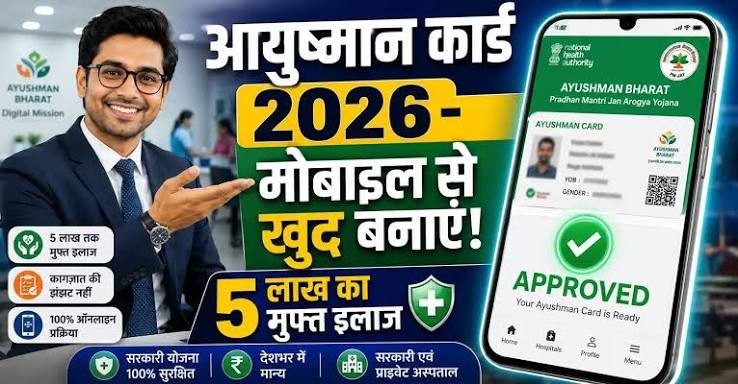
Ayushman Card Download 2026: Having an Ayushman Card can make it easier for an eligible beneficiary to access healthcare services under the scheme. But after the card is generated, one common question is:
“How can I download my Ayushman Card online?”
If you have already completed the required beneficiary verification and your Ayushman Card has been generated, you may be able to download or print the card through the official government system.
In this guide, we focus specifically on Ayushman Card Download—from accessing the official service to saving and printing your card.
What Is an Ayushman Card?
An Ayushman Card is a digital identification card associated with eligible beneficiaries of the Ayushman Bharat/PM-JAY system.
The card can contain beneficiary-related information that can be used when accessing eligible healthcare services through the applicable system.
Important: Having a downloadable card does not mean that every medical treatment is automatically free. Treatment and coverage are subject to the applicable scheme rules and empanelled healthcare facilities.
How to Download Ayushman Card Online in 2026
If your Ayushman Card has already been generated, you can follow the official online process to access it.
Step 1: Visit the Official Ayushman Bharat Platform: Open the official government Ayushman Bharat/PM-JAY platform or the officially supported beneficiary service.
Always check that you are using an official website or application.
Avoid websites that ask for unnecessary personal information or promise instant card generation for a fee.
Step 2: Select the Relevant Card or Beneficiary Service: Look for the option related to Ayushman Card, beneficiary services, or card download.
The exact wording and location of the option may change when the government updates its website or application.
Step 3: Enter Your Required Details: The system may ask you to provide information such as:
- Mobile number
- Beneficiary details
- Aadhaar-related information
- Other identification information
Enter the details carefully.
The information should match the beneficiary record available in the government system.
Step 4: Complete OTP Verification: If OTP authentication is required, an OTP may be sent to the relevant registered mobile number.
Enter the OTP on the official platform.
Never share your OTP with another person.
Step 5: Select the Beneficiary: If the system identifies one or more beneficiaries associated with your details, select the appropriate person whose Ayushman Card you want to access.
Check the displayed information carefully before proceeding.
Step 6: Complete Authentication if Required: Depending on the current government process, additional authentication may be required.
Follow the instructions displayed on the official portal.
If authentication is successful, the system may allow you to access the generated card.
Step 7: Download the Ayushman Card: Once your card becomes available, look for the Download, Download Card, Print Card, or similar option.
Click the relevant option and save the card to your device.
If a PDF version is provided, save the PDF in a secure location.
How to Save the Ayushman Card on Your Mobile
After downloading the card, you can save the file on your smartphone.
A simple approach is:
- Download the card.
2. Open the downloaded file.
3. Check that the details are correct.
4. Save the PDF/document in a secure folder.
5. Keep a backup if required.
You can also print a physical copy for convenience.
How to Print Ayushman Card
If you have successfully downloaded the card, you can generally print it using a printer or a printing service.
To print your card:
1. Open the downloaded card.
2. Check the beneficiary details.
3. Select Print.
4. Choose your printer.
5. Select the appropriate paper size.
6. Print the card.
Keep the printed card safely with your important documents.
Can I Download Ayushman Card as a PDF?
If the official system provides the card in PDF or downloadable document format, you can save it as a PDF on your phone or computer.
The availability and format of the downloaded card may depend on the current government platform.
Do not download an unofficial “Ayushman Card PDF” from an unknown website.
Can I Download Ayushman Card Using a Mobile Phone?
Yes, if the relevant official service is available online, you can access it through a smartphone.
You generally need:
- Smartphone
- Internet connection
- Required beneficiary details
- Mobile number, where applicable
- Authentication information, where required
Make sure you use the official government service rather than an unofficial third-party website.
What If My Ayushman Card Is Not Available for Download?
Sometimes a beneficiary may complete the required process but still not see a downloadable card.
Possible reasons include:
- Card generation is not complete.
- Beneficiary authentication is pending.
- Details do not match the record.
- Technical issues with the portal.
- The beneficiary record requires further verification.
- The system is temporarily unavailable.
In such a situation, check the information again and follow the instructions provided by the official system.
Do not create multiple applications simply because the card is not immediately visible.
Why Is My Ayushman Card Download Not Working?
- If the download button is not working, try these basic steps:
- Check your internet connection
- A weak or unstable connection can interrupt the download.
- Try again later
- Temporary technical problems can occur on government portals.
- Check your browser
- Try using an updated browser and clear the browser cache if necessary.
- Check your beneficiary details
- Incorrect information can prevent the system from finding the correct record.
- Use an official assistance channel
- If the problem continues, seek help through the officially provided support mechanism.
What If There Is an Error in My Ayushman Card?
Do not ignore an error in important beneficiary information.
If you notice an incorrect:
- Name
- Date of birth
- Aadhaar-related information
- Family details
- Other beneficiary information
Follow the official correction or grievance procedure available for the scheme.
Avoid creating a new record unnecessarily just because an existing card contains an error.
Do I Need to Carry a Printed Ayushman Card?
A printed copy can be convenient when visiting a hospital, but the exact identification requirements can depend on the current scheme process and the hospital.
It is therefore sensible to keep your digital card available on your phone and carry any other identification or documents that may be required.
Is Ayushman Card Download Free?
You should be cautious if someone asks you to pay an unofficial fee simply to download your Ayushman Card.
Use the official government service whenever possible.
If an authorised service centre has a clearly applicable service charge, verify the charge before paying.
Never pay an unknown person merely because they claim they can download your card faster.
Important Safety Tips Before Downloading Your Ayushman Card
Keep these points in mind:
- Use only official government websites or applications.
- Do not share your OTP with anyone.
- Don’t give your Aadhaar or other personal information to unknown websites.
- Avoid downloading the card from unofficial websites.
- Don’t install suspicious applications claiming to provide an Ayushman Card.
- Check the beneficiary information after downloading.
- Keep your digital card safely stored.
Ayushman Card Download: Common Problems and Solutions
| Problem | What You Can Do |
| Card not showing: | Check beneficiary details and card-generation status |
| OTP not received: | Check mobile network and try again |
| Download button not working: | Try again later or use an updated browser |
| Wrong beneficiary details: | Follow the official correction process |
| Authentication failed: | Recheck the information and follow the official instructions |
| Website not opening: | Try again after some time |
| PDF not opening: | Download again or use a compatible PDF reader |
Conclusion
Downloading an Ayushman Card becomes much easier once the card has been generated and the beneficiary record is successfully verified.
The safest approach is to use the official Ayushman Bharat/PM-JAY platform, complete the required authentication, and download the card from the authorised system. After downloading it, check your details carefully and keep a digital copy safely stored.
Remember: Never share your OTP or sensitive personal information with an unknown person claiming to help you download the card.
Frequently Asked Questions
How can I download my Ayushman Card online?
If your Ayushman Card has already been generated, you can use the official Ayushman Bharat/PM-JAY beneficiary service, complete the required authentication, and use the available download option.
Can I download my Ayushman Card on my mobile?
Yes. You can access the relevant official online service through a smartphone if the required service is available.
Can I download the Ayushman Card in PDF format?
If the official system provides a PDF or downloadable version of your card, you can save it on your device and print it when required.
Can I print my Ayushman Card after downloading it?
Yes. If you have successfully downloaded the card, you can print a copy for your personal use.
What should I do if I cannot download my Ayushman Card?
First check whether the card has been generated and whether your beneficiary details are correct. If the problem continues, use the official support or grievance mechanism.
Why is my Ayushman Card not showing?
The card may not yet have been generated, authentication may be pending, or there may be a mismatch in the beneficiary information. Technical issues can also temporarily prevent the card from appearing.
Is the Ayushman Card download free?
Be cautious about unofficial charges. Use the official government service and verify any service fee before making a payment.

You are heartily welcome to our blog! We are four friends who run a Common Service Center (CSC) in India. We help people take advantage of the schemes of the Central and State Governments of India. On this blog, we authentically reach people with real and true information about government schemes. Our Official email is supportteam@bharatsarkarsuvidha.com