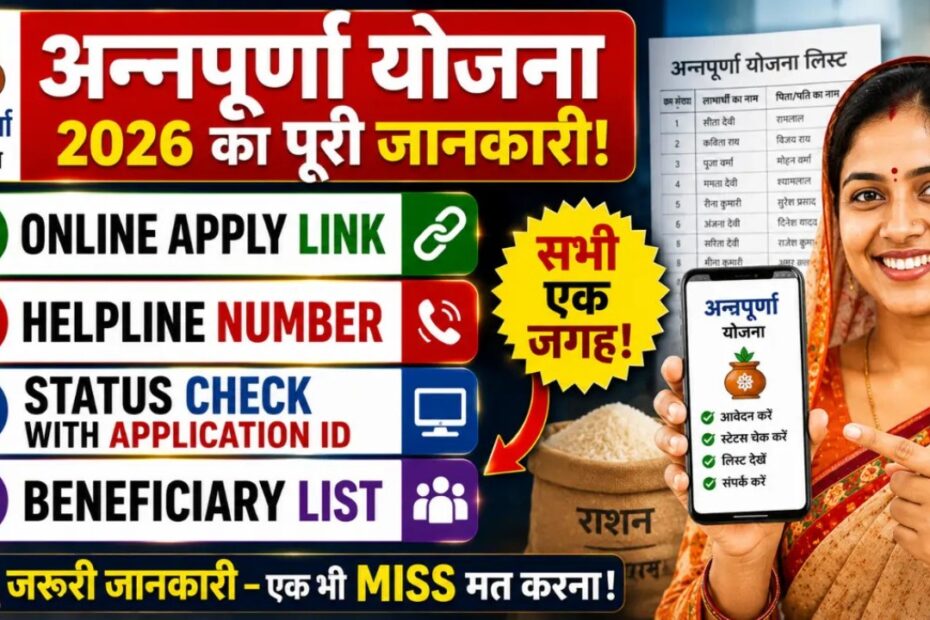
Annapurna Yojana Status Check 2026: The Annapurna Yojana (also known as the Annapurna Bhandar Scheme) is one of the most significant welfare schemes launched by the Government of West Bengal to provide financial assistance to eligible women. Under this scheme, beneficiaries receive ₹3,000 every month directly into their Aadhaar-linked bank accounts through the Direct Benefit Transfer (DBT) system.
After submitting the application, many applicants want to know whether their application has been approved, is under verification, or if their payment has been credited. This is where the Annapurna Yojana Status Check process becomes important.
In this complete guide, you’ll learn how to check your Annapurna Yojana application status online and offline, understand different status messages, and know what to do if your application is pending, rejected, or your payment has not been received.
What is Annapurna Yojana?
The Annapurna Yojana, popularly known as the Annapurna Bhandar Scheme, was launched by the West Bengal Government on 3 June 2026 to strengthen women’s financial independence.
The scheme replaced the earlier Lakshmir Bhandar Scheme and increased the monthly financial assistance to ₹3,000, helping women manage household expenses, healthcare, education, and other daily needs.
Also Read: Mahila Schemes.
Annapurna Yojana Highlights:
| Particulars | Details |
| Scheme Name: | Annapurna Yojana (Annapurna Bhandar Scheme). |
| State: | West Bengal. |
| Launch Date: | 3 June 2026. |
| Monthly Benefit: | ₹3,000. |
| Annual Benefit: | ₹36,000. |
| Benefit Transfer: | Direct Benefit Transfer (DBT). |
| Target Beneficiaries: | Eligible women of West Bengal. |
| Application Mode: | Online & Offline. |
| Guideline: | Annapurna Yojana Guidelines. |
| Official Website: | Annapurna Yojana West bengal Website. |
Why is Annapurna Yojana Status Check 2026 Important?
Checking your application status helps you know whether your application has successfully moved through each stage of verification.
Regular status checks help applicants:
- Confirm successful application submission.
- Track verification progress.
- Know whether documents have been approved.
- Check payment approval.
- Identify bank account issues.
- Resolve application errors before payment is delayed.
Applicants are advised to check their application status periodically until they receive the monthly benefit.
How to Check Annapurna Yojana Status Online?
The West Bengal Government provides an online facility through the Social Registry West Bengal Portal for applicants to access their application details.
- Step 1: Visit the official Social Registry West Bengal portal.
- Step 2: Select your district.
- Step 3: Enter your registered mobile number.
- Step 4: Click on Request OTP.
- Step 5: Enter the OTP received on your registered mobile number.
- Step 6: Log in to your citizen profile.
- Step 7: Open your application details.
- Step 8: View your current application status.
If your application status is not available online, contact your nearest Block Development Office (BDO) or Municipal Office for assistance.
How to Check Annapurna Yojana Status Offline?
Applicants who are unable to access the online portal can easily check their application status offline.
Follow these steps:
Step 1: Visit your nearest:
- Block Development Office (BDO)
- Municipality Office
- Panchayat Office
- Designated Government Camp
Step 2: Carry the following documents::
- Application acknowledgement receipt
- Application Reference Number
- Registered Mobile Number
- Aadhaar Card
The concerned official will verify your application details and inform you of your current application status.
Annapurna Yojana Application Status Meaning:
Different status messages indicate different stages of your application. Understanding these statuses helps you know what action, if any, is required.
1. Approved:
This means your application has been successfully verified and accepted.
What happens next?
- Monthly assistance of ₹3,000 will be credited to your Aadhaar-linked bank account.
- No further action is required.
2. Pending at BDO/SDO:
This indicates that your application has been received but is still under verification by government officials.
What should you do?
- Wait for verification.
- Check the status again after 15–30 days.
- Ensure your mobile number remains active.
3. Rejected:
Your application has not met one or more eligibility requirements.
Possible reasons include:
- Incorrect documents
- Incomplete information
- Eligibility mismatch
- Duplicate application
- Income tax payer
- Government employee
What can you do? if application rejected.
- Review the rejection reason.
- Correct the mistake.
- Submit a fresh application if eligible.
- Contact your BDO office for clarification.
4. Bank Account Invalid:
This status means the bank account provided cannot receive DBT payments.
Common reasons include:
- Aadhaar not linked
- Incorrect account number
- Joint account
- Closed bank account
- Name mismatch
Solution :
- Aadhaar Card
- Updated Passbook
- Bank Account Details
After verification, your payment can be processed.
5. Payment Not Received:
Sometimes applications are approved, but the payment has not yet reached the beneficiary’s account.
Possible reasons:
- Bank processing delay
- Aadhaar seeding pending
- NPCI mapping issue
- Payment cycle not completed
What should you do?
- Check Aadhaar-bank linkage.
- Visit your bank.
- Contact your BDO office.
Annapurna Yojana Beneficiary List:
The West Bengal Government publishes the beneficiary list after verification.
The beneficiary list is prepared by:
- Block Development Officers (BDO)
- Sub-Divisional Officers (SDO)
- Municipal Authorities
- Panchayat Authorities
Eligible women whose names appear in the list receive the monthly financial assistance directly into their Aadhaar-linked bank accounts.
If your name is missing despite being eligible, you may contact your local authorities and submit the required documents for reconsideration.
How Long Does Verification Take?
Most applications are verified within 15 to 30 days after submission.
However, verification may take longer if:
- Documents are incomplete.
- Aadhaar details do not match.
- Bank verification is pending.
- Large numbers of applications are received.
Applicants should regularly check their application status until approval.
These include:
- Incorrect Aadhaar details
- Wrong bank account information
- Incomplete application form
- Missing documents
- Duplicate applications
- Verification backlog
- Aadhaar not linked with bank account
Carefully reviewing all information before submitting the application can help avoid delays.
Tips for Faster Approval Annapurn Yojana Application:
Follow these best practices to improve your chances of quick approval:
- Use an Aadhaar-linked bank account.
- Enter accurate personal details.
- Upload clear documents.
- Double-check all information before submission.
- Keep your registered mobile number active.
- Regularly monitor your application status.
- Respond promptly if additional verification is requested.
Annapurna Yojana Eligibility Criteria:
Before applying for the Annapurna Yojana, applicants must ensure they meet the eligibility requirements set by the West Bengal Government.
Who Can Apply?
To receive benefits under the Annapurna Yojana, an applicant must:
- Be a woman.
- Be a permanent resident of West Bengal.
- Be between 25 and 60 years of age.
- Have an active Aadhaar-linked bank account for Direct Benefit Transfer (DBT).
- Meeting these criteria is essential for approval under the scheme.
Who Is Not Eligible?
The following individuals are not eligible to receive benefits under the Annapurna Yojana:
- Income taxpayers.
- Permanent or retired government employees.
- Individuals receiving a regular salary or pension from the Central Government, State Government, Panchayats, Municipalities, statutory bodies, or government-aided institutions.
- Teaching and non-teaching staff working in government-aided educational institutions in West Bengal.
Applicants should carefully review the eligibility conditions before submitting the application.
Documents Required for Annapurna Yojana:
Applicants should keep the following documents ready while applying:
- Aadhaar Card
- Voter ID Card
- Residence Proof
- Aadhaar-linked Bank Passbook or Bank Account Details
- Passport-size Photograph
Providing accurate and updated documents helps speed up the verification process.
How to Apply for Annapurna Yojana?
The West Bengal Government accepts applications through both online and offline modes.
Online Application Process
Follow these simple steps:
- Step 1: Visit the official Social Registry West Bengal portal.
- Step 2: Select your district.
- Step 3: Enter your registered mobile number.
- Step 4: Verify your number using the OTP.
- Step 5: Fill in the required details, including:
- Personal information
- Family details
- Ration card information
- Income details
- Asset details
- Government scheme information
- Bank account details
- Step 6: Upload the required documents.
- Step 7: Accept the declaration.
- Step 8: Submit the application.
- Step 9: Save the application reference number for future status tracking.
Offline Application Process:
Applicants can also apply offline by visiting:
- Block Development Office (BDO)
- Municipality Office
- Panchayat Office
- Government Camps
- Duare Sarkar Camps (where available)
Submit the completed application form along with self-attested copies of the required documents and collect the acknowledgement receipt.
How to Check the Beneficiary List?
After verification, the government prepares and publishes the beneficiary list.
The list is finalized by:
- Block Development Officers (BDO)
- Sub-Divisional Officers (SDO)
- Municipal Authorities
- Panchayat Authorities
Applicants whose names appear in the final beneficiary list will start receiving the monthly financial assistance directly into their Aadhaar-linked bank account.
If your name is missing despite being eligible, you should contact your local BDO or Panchayat office for assistance.
How to Update Your Bank Account for Annapurna Yojana?
If your bank account has changed or your DBT payment has failed, you should update your Aadhaar-linked bank account.
Common reasons for updating bank details include:
- Closed bank account
- Wrong account number
- Change of bank
- Aadhaar linked to another account
- Payment failure
Before updating, verify which bank account is currently linked to your Aadhaar.
Once the new account is linked with Aadhaar and activated for DBT, future payments will be credited to the updated account.
Lakshmir Bhandar Beneficiaries:
Existing beneficiaries of the Lakshmir Bhandar Scheme do not need to submit a fresh application.
They will be automatically migrated to the Annapurna Yojana, provided they continue to meet the eligibility criteria.
However, beneficiaries should ensure:
- Their Aadhaar-linked bank account is active.
- Their bank details are correct.
- Aadhaar seeding is complete.
This helps prevent payment delays.
Benefits of Annapurna Yojana:
The Annapurna Yojana offers several benefits to eligible women in West Bengal.
Key benefits include:
- ₹3,000 financial assistance every month.
- ₹36,000 annual financial support.
- Direct transfer to Aadhaar-linked bank accounts.
- Improved financial independence.
- Support for household expenses.
- Assistance with healthcare and daily needs.
- Enhanced economic security for women.
The scheme aims to empower women and improve the financial well-being of families across the state.
Common Mistakes to Avoid:
Many applications are delayed due to avoidable errors.
To improve your chances of approval, avoid the following:
- Entering incorrect Aadhaar details.
- Providing an inactive bank account.
- Forgetting to link Aadhaar with the bank account.
- Uploading unclear documents.
- Providing incorrect income information.
- Using an unregistered mobile number.
- Leaving mandatory fields blank.
Double-check your application before submission to avoid unnecessary delays.
Conclusion:
The Annapurna Yojana Status Check process enables applicants to monitor every stage of their application—from submission and verification to approval and payment. Regularly checking your status ensures that any issues, such as document discrepancies or bank account problems, can be resolved quickly.
If you have applied for the scheme, keep your Aadhaar-linked bank account active, verify your application details carefully, and monitor your status periodically. Following the correct application process and maintaining accurate information will help you receive the monthly ₹3,000 financial assistance without unnecessary delays.
By understanding the status meanings, eligibility conditions, document requirements, and application process, applicants can make the most of this important women-centric welfare scheme introduced by the Government of West Bengal.
Frequintly Ask Questions:
Can I check Annapurna Yojana status using my mobile number?
Yes. Applicants can log in to the Social Registry portal using their registered mobile number and OTP to access their application details.
How long does Annapurna Yojana verification take?
Generally, verification takes around 15–30 days, depending on document verification and workload.
What should I do if my application is pending?
Wait for the verification process to be completed. If the status remains unchanged beyond 30 days, contact your nearest BDO or Municipal Office.
Why is my payment not credited even after approval?
The most common reasons are Aadhaar-bank linkage issues, NPCI mapping delays, or bank processing delays. Ensure your Aadhaar is linked to an active bank account.
How can I check my Annapurna Yojana status?
You can check your application status by logging into the Social Registry West Bengal portal using your registered mobile number and OTP. You may also visit your nearest BDO or Municipal Office for offline assistance.
How much financial assistance is provided?
Eligible beneficiaries receive ₹3,000 every month, which amounts to ₹36,000 annually through Direct Benefit Transfer (DBT).
How long does verification take?
The verification process generally takes 15 to 30 days, depending on document verification and application volume.
Can Lakshmir Bhandar beneficiaries receive Annapurna Yojana benefits?
Yes. Existing eligible Lakshmir Bhandar beneficiaries are automatically migrated to the Annapurna Yojana.
Why is my application showing “Bank Account Invalid”?
This usually indicates that your Aadhaar is not linked to the correct bank account, the account is inactive, or there is a mismatch in account details.
Can I update my bank account after applying?
Yes. Applicants can update their Aadhaar-linked bank account to ensure uninterrupted DBT payments.
Is Aadhaar mandatory?
Yes. Aadhaar is required for identity verification and Direct Benefit Transfer under the scheme.
You are heartily welcome to our blog! We are four friends who run a Common Service Center (CSC) in India. We help people take advantage of the schemes of the Central and State Governments of India. On this blog, we authentically reach people with real and true information about government schemes. Our Official email is supportteam@bharatsarkarsuvidha.com